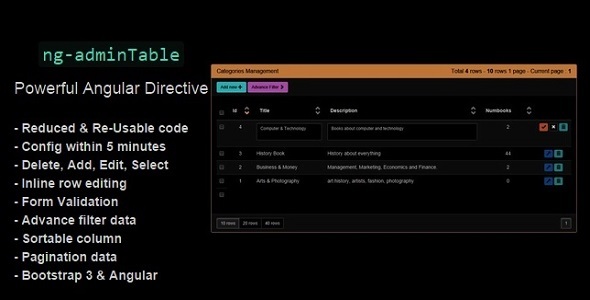
adminTable is an useful Angular directive. It allows you to manage a database into a powerful and user-friendly online web app within only one row of code:
<admin-table config="adminTableConfig"></admin-table>
Use it to manage data like products, people, sales, etc…
DEMO – Examples of usage
Directive features:
- Reduced & Re-Usable code
- Config within 5 minutes
- Full manage functions: ADD, EDIT, DELETE, SELECT
- Inline row editing
- Form Validation: required, minlength, maxlength, min, max
- Advance filter data: like, equal, less_than, more_than, between, single choice, multiple choices
- Suported form element type: Number, text, long-text, timestamp-datepicker, file image, multiple choice, single select.
- Suported column data type: Number, text, long-text, timestamp, file, image
- Sortable column: DESC, ASC
- Pagination data
- Built with Bootstrap 3 & Angular
- Simple and Responsive Bootstrap 3 design
adminTable directive is the great choice for your Angular web app. You can use it to reduce time of coding as well as to save you work-force and money. Creating admin panel to manage existing database, maintain data, track sales, … etc EASILY with adminTable adminTable
Sources and Credits:
jQuery : 2.1.1
angular : 1.2.16
json3 : ~3.3.1
es5-shim : ~3.1.0
bootstrap : ~3.1.1
angular-resource : 1.2.16
angular-cookies : 1.2.16
angular-sanitize : 1.2.16
angular-animate : 1.2.16
angular-touch : 1.2.16
angular-route : 1.2.16
angular-bootstrap : ~0.11.0
HELP
- There is an comprehensive documentation included in downloaded folders
- Feel free to discuss about adminTable at this site
- Contact me at themeforest
CHANGE LOG
 2014-09-14 (v1.0.0)
 - released
Angular Admin Table Directive (Database Abstractions)

No comments:
Post a Comment